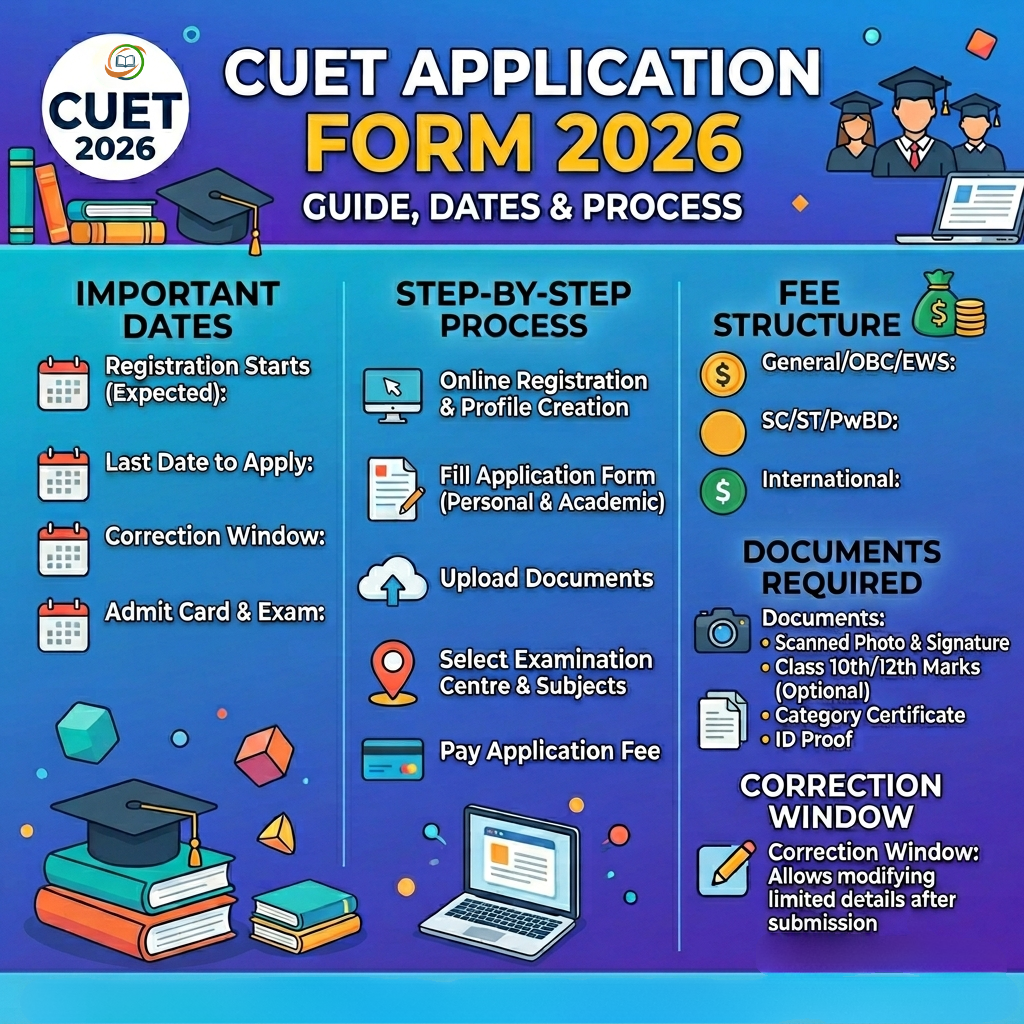
The CUET Application Form 2026 was one of the most important steps for every student
aiming to secure undergraduate admission in India’s top universities through the Common
University Entrance Test. Released by the National Testing Agency (NTA) on January 3,
2026, the CUET UG 2026 application form was available exclusively online at cuet.nta.nic.in.
After multiple extensions and a special reopening window, the registration finally closed on
February 26, 2026
This comprehensive guide covers everything about the CUET UG 2026 application form — from
the complete timeline and step-by-step filling process to fee structure, document requirements,
correction window details, and the most common mistakes to avoid. Whether you are a first-time
applicant planning for next year or a 2026 registered candidate tracking what comes next, this
article has you covered.
CUET Application Form 2026: Complete Date Timeline
| Event | Date / Status |
|---|---|
| Official Notification Released | January 3, 2026 ✅ |
| Application Form Released | January 3, 2026 ✅ |
| Initial Last Date to Apply | January 30, 2026 ✅ |
| Extended Last Date to Apply | February 4, 2026 (11:50 PM) ✅ |
| Fee Payment Last Date | February 7, 2026 (11:50 PM) ✅ |
| Correction Window (Round 1) | February 9–11, 2026 (11:50 PM) ✅ Closed |
| Registration Window Reopened | February 23–26, 2026 (11:50 PM) ✅ Closed |
| Photo/ID Mismatch Correction | April 7–16, 2026 ✅ Closed |
| Subject Correction Window | April 17–19, 2026 (11:50 PM) ✅ Closed |
| CUET Application Form Status | Permanently Closed |
| Exam Dates (Confirmed) | May 11–31, 2026 |
| City Intimation Slip | Last week of April 2026 |
| Admit Card Release | 1st week of May 2026 |
What is the CUET UG 2026 Application Form?
The CUET UG 2026 application form is the official entry point for over 14 lakh students seeking
undergraduate admission to280+ universities across India — including all 45 Central
Universities. Through a single online application, a candidate registers for CUET UG 2026,
selects their subjects, exam cities, and pays the applicable fee.
There is only one application per candidate, and it serves as the basis for the admit card,
exam centre allotment, city intimation slip, results, and ultimately — university admission. This
makes filling the form accurately, completely, and on time absolutely critical.
The application was accepted only in online mode at cuet.nta.nic.in. No offline forms, postal
applications, or late submissions were entertained under any circumstances.
Eligibility to Fill CUET Application Form 2026
Before filling the form, every candidate must have met the following eligibility conditions:
- Educational Qualification: Must have passed or be appearing in Class 12 (10+2) from a
recognized board in 2026. - Minimum Marks: General (UR) category candidates need a minimum of 45% aggregate
marks in Class 12. SC/ST/OBC-NCL/EWS/PwD candidates need a minimum of 40%. - Age Limit: There is no upper age limit for CUET UG 2026. Students of any age who meet the
educational criteria are eligible. - Nationality: Indian nationals are eligible. Foreign nationals, NRIs, and OCI candidates may also
apply as per NTA rules. - Subject Freedom (New in 2026): Per UGC’s revised policy, candidates can now choose any
subject regardless of their Class 12 stream — a significant flexibility upgrade from previous
years
Important Note: Meeting NTA’s basic eligibility does not guarantee admission.
Always verify course-specific and university-specific eligibility before selecting your
subjects in the form.
Documents Required Before Filling the Form
Keeping the following documents ready before starting the application process ensures a
smooth, error-free submission:
Documents to Upload Online
| Document | Format | Size Limit |
|---|---|---|
| Recent Passport-size Photograph | JPG/JPEG | 10 KB – 200 KB |
| Scanned Signature (Black/Blue Ink) | JPG/JPEG | 10 KB – 50 KB |
| Valid Photo ID Proof (Aadhaar/PAN/Passport/Voter ID) | JPG/JPEG or | 10 KB – 200 KB |
Photograph Requirements:
● Recent photograph (not older than 3 months)
● Clear, colour photograph on a plain white background
Size Limit
● 80% face visibility including ears — no mask, sunglasses, or accessories
● No printed or patterned backgrounds
● Live photograph capture via webcam or mobile QR code is also mandatory during
registration
Signature Requirements:
● Signed with blue or black pen on plain white paper
● Scanned clearly and saved in JPG/JPEG format
● Size between 10 KB and 50 KB
Documents for Reference (No Upload Required at Registration)
● Class 12 marksheet (for students who have passed; appearing students select
“Appearing” status)
● Category certificate (SC/ST/OBC-NCL/EWS — required only at counselling stage, not
during form filling)
● PwBD certificate (if applicable — required at exam centre and counselling)
● APAAR ID (optional, but recommended — a 12-digit Automated Permanent Academic
Account Registry ID under the NEP 2020 “One Nation, One Student ID” initiative)
● Banking details for online fee payment
APAAR ID Note: Having an APAAR ID is not compulsory for CUET 2026.
Candidates who do not have one can simply select “No” in the dropdown during
registration and continue with the form. However, those who do have an APAAR ID
are encouraged to enter it correctly for seamless academic record synchronization.
How to Fill CUET Application Form 2026: Step-by-Step
Process
The CUET UG 2026 application process was divided into six key stages. Here is the complete
step-by-step guide for future reference
Step 1 — New Registration (Account Creation)
● Visit the official portal: cuet.nta.nic.in
● Click on “New Registration” on the homepage
● Enter basic details: full name, date of birth, gender, mobile number, and email ID
● Create a strong password following NTA’s password guidelines
● Verify your mobile number and email via separate OTPs sent by NTA
● After successful registration, note down your Application Number — this becomes your
permanent login ID for all future CUET-related access
Important: Use only your own personal mobile number and email ID. All
notifications — including admit card alerts and result announcements — are sent
exclusively to the registered contact details. Do not use a friend’s or parent’s
contact information.
Step 2 — Identity Verification
● Log in with your Application Number and password
● Choose one of the following verification methods: Aadhaar Number, DigiLocker,
Academic Bank of Credits (ABC), PAN Card, or Passport
● Ensure the mobile number linked to your Aadhaar is active — NTA uses UIDAI
integration to pre-fill certain personal details
● If any Aadhaar details are incorrect, get them corrected before applying, as NTA fetches
name, date of birth, gender, and photograph data directly from UIDAI for
Aadhaar-verified applications
Step 3 — Fill the Application Form
● Enter personal information: candidate name (as per Class 10 documents), parents’
names, date of birth, gender, nationality, and permanent address
● Provide Class 10 details (board name, passing year, roll number)
● Provide Class 12 details (board name, passing year, roll number, and aggregate
percentage OR select “Appearing” if exams are not yet complete)
● Enter your APAAR ID if available, or select “No” to skip
● Choose your preferred exam medium (language in which you want the question paper)
Step 4 — Subject Selection
● Select up to 5 subjects from the 37 available options (13 languages + 23 domain
subjects + 1 General Aptitude Test)
● Map your subject choices to your target university’s course requirements carefully —
selecting wrong subjects means ineligibility for that course’s counselling, even with a
high CUET score
● Check the official CUET UG 2026 Information Bulletin (Appendix II) for subject codes
and university-wise subject mapping
Step 5 — Upload Documents & Select Exam Cities
● Upload the live photograph (via webcam or mobile) and the scanned photograph,
signature, and photo ID as per specifications
● Select at least 4 preferred exam cities in order of preference — the final allotted city is
based on NTA’s administrative decisions and cannot be changed once the admit card is
issued
● Double-check all uploaded documents for clarity, correct format, and prescribed file size
before proceeding
Step 6 — Pay the Application Fee & Save Confirmation
● Pay the application fee online using Net Banking, Debit Card, Credit Card, or UPI
● After successful payment, the system generates a Confirmation Page
● Download and save the Confirmation Page immediately — it is the only proof of
successful application submission
● If the Confirmation Page is not generated after fee payment, immediately contact your
bank and the NTA Helpdesk to resolve the issue
CUET Application Form 2026: Fee Structure
The CUET UG 2026 application fee depends on the candidate’s category and the number of
subjects selected:
| Category | Fee for Up to 3 Subjects | Per Additional Subject |
|---|---|---|
| General / Unreserved (UR) | ₹1,000 | ₹400 |
| OBC-NCL / EWS | ₹900 | ₹375 |
| SC / ST / PwD / Third Gender | ₹800 | ₹350 |
| Exam Centres Outside India | ₹4,500 (up to 3 subjects) | Additional charges applicable |
Key Fee Rules:
● Payment is online only — no offline, demand draft, or cash payments accepted
● The application fee is non-refundable once paid
● Applications where fee payment is not completed by the deadline are automatically
treated as invalid
● If subjects are added during the correction window, the additional fee difference must
be paid at that time — excess amount paid is not refunded
CUET Application Form 2026: Correction Window Details
NTA provided registered candidates multiple opportunities to correct mistakes in their submitted
application forms through correction windows:
Main Correction Window — February 9–11, 2026
This was the primary correction window, open for all candidates who had completed registration
and fee payment. Candidates could make changes to the following fields:
Editable Fields:
● Candidate’s photograph and signature
● Category (SC/ST/OBC/EWS/PwD) and sub-category
● Subject selection (additional fees applicable for new subjects added)
● Preferred exam cities
● Class 12 details (board name, year, roll number)
● PwBD status and type of disability
Non-Editable Fields (Cannot Be Changed at Any Stage):
● Registered mobile number
● Registered email ID
● Application Number
● Candidate’s name (as entered during registration)
● Date of birth
Subject Correction Window — April 17–19, 2026
NTA opened a special subject correction window from April 17 to 19, 2026 (up to 11:50 PM),
allowing registered candidates to update their previously selected subjects to align with
university eligibility criteria. This window was the final opportunity for subject changes — no
further modifications were permitted after April 19, 2026.
Photo/ID Mismatch Correction — April 7–16, 2026
A dedicated correction window was opened for candidates whose uploaded photographs did not
match their submitted identity proof documents. Candidates with such discrepancies were
required to re-upload corrected documents to receive their admit cards without issues.
Golden Rule: The correction window is a one-time facility — use it wisely and
carefully. Once the correction window closes, the application form is frozen and no
further edits are possible under any circumstances.
CUET Application Form 2026: What Happens After
Submission?
Once the application form was successfully submitted and the fee was paid, here is the
sequence of events for registered candidates:
- Step 1 — Subject-wise Datesheet (Expected: 3rd week of April 2026) NTA releases a
- subject-wise schedule specifying the exact exam date and shift for each of the 37 subjects.
- Step 2 — City Intimation Slip (Expected: Last week of April 2026) Informs candidates about
- the city where their exam centre is located — useful for travel and accommodation planning.
- Step 3 — Admit Card (Expected: 1st week of May 2026) Released 2–3 days before the exam
- date. Contains the full exam centre address, shift timing, reporting time, and self-declaration
- form. Entry to the exam hall is not permitted without a printed admit card and valid photo ID.
- Step 4 — CUET UG 2026 Exam (May 11–31, 2026) CBT-mode exam across 300+ cities in
- India and select international locations.
- Step 5 — Answer Key (Within 48 Hours of Each Exam) Provisional answer key released
- online. Candidates can challenge incorrect answers by paying ₹200 per question within the
- objection window.
- Step 6 — Result (June / Early July 2026) Scorecards available at cuet.nta.nic.in. Scores are
- valid for admission to all 280+ participating universities.
- Step 7 — University Counselling (July 2026 onwards) No centralized counselling. Each
- university releases its own admission schedule. DU candidates register on the CSAS portal;
- other universities have individual admission portals.
Top 8 Mistakes to Avoid in the CUET Application Form
Many students face rejection or complications due to avoidable errors in the application form.
Here are the most critical mistakes to watch out for (especially useful for future applicants):
- Entering Incorrect Personal Details Always enter your name, date of birth, and parents’
names exactly as they appear in your Class 10 certificate and Aadhaar card. Even a minor
spelling difference can cause mismatch issues at later stages. - Using Someone Else’s Contact Details Never use a friend’s or relative’s email ID or mobile
number. NTA sends all notifications — admit card alerts, result announcements, correction
window alerts — exclusively to the registered contacts. - Uploading a Blurred or Incorrect Photograph A blurred, incorrectly sized, or
wrong-background photo triggers automatic rejection during the validation stage. Always use a
recent, clear photograph on a plain white background with 80% face visibility. - Not Submitting the Live Photograph Live photograph capture is mandatory in 2026.
Candidates who skip this step or submit a static photo in place of a live capture face form
rejection. - Choosing Wrong Subjects Selecting subjects that don’t align with your target university’s
course requirements is a very common and costly error. Always verify the subject-course
mapping for each university before finalizing your selections. - Not Downloading the Confirmation Page The Confirmation Page is the only proof that your
application was successfully submitted and the fee was paid. Not saving it can create
complications if any dispute arises later. - Waiting Until the Last Day Server load on NTA’s portal is extremely high near deadlines,
often causing slow loading, payment failures, and session timeouts. Always submit the
application form and complete fee payment at least 2–3 days before the deadline. - Ignoring the Correction Window Many candidates who made mistakes during formsubmission ignored the correction window — a critical missed opportunity. Always use thecorrection window to verify and fix any errors before it closes permanently.
Final Word
The CUET Application Form 2026 was the gateway to undergraduate admissions at India’s
most prestigious universities. While the 2026 registration window is now permanently closed,
the journey is far from over for registered candidates — with the datesheet, city intimation slip,
admit card, exam, and counselling still ahead.
For students planning to appear in CUET UG 2027, the most important lesson from 2026 is:
read the Information Bulletin thoroughly, fill the form carefully, and never wait until the
last day. Start monitoring cuet.nta.nic.in from October/November 2026 onwards for early
notification alerts.
Stay updated with cuet-nta.com for the latest news on CUET UG 2026 — from admit cards and
exam day guidelines to answer keys, results, and university counselling schedules.
Frequently Asked Questions
No. The CUET UG 2026 application form is permanently closed. The final deadline was February 26, 2026 (11:50 PM), after which no new applications are being accepted.
The official website is cuet.nta.nic.in. All registrations, corrections, admit card downloads, and result announcements are published on this portal.
NTA extended the CUET UG 2026 application deadline twice — first from January 30 to February 4, and then reopened the window from February 23 to February 26, 2026.
No. The CUET application form is available and accepted only in online mode at cuet.nta.nic.in. No offline or postal applications are accepted.
No Comments yet!