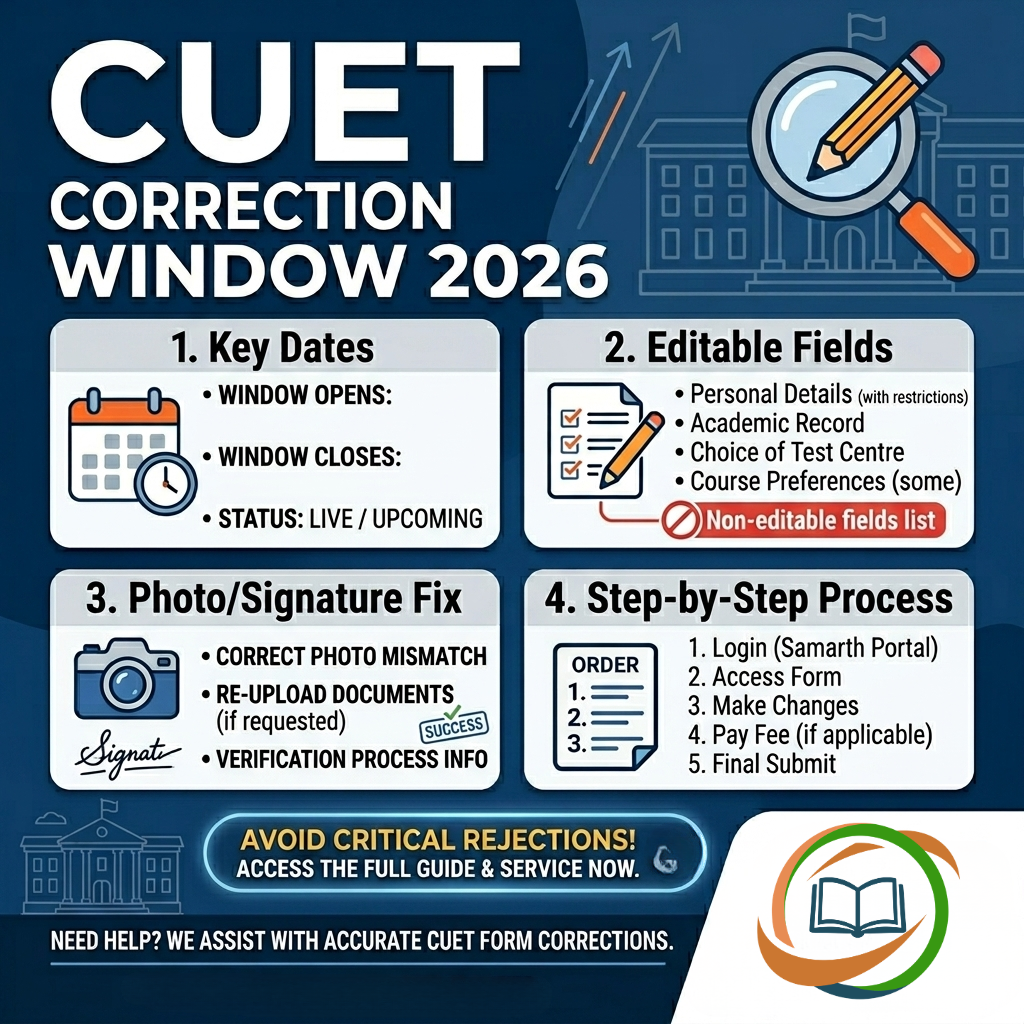
The CUET Correction Window 2026 has been one of the most critical post-registration facilities provided by the National Testing Agency (NTA) for candidates registered in the Common University Entrance Test (UG) 2026. With over 14 lakh candidates registered, the NTA opened multiple correction windows at different stages — allowing students to fix errors in their application forms, update subject selections, and resolve photograph mismatches — before the exam begins on May 11, 2026.
This comprehensive guide covers the complete history of all CUET UG 2026 correction windows, editable and non-editable fields, the photo mismatch correction process, step-by-step instructions, and essential tips to avoid issues before the final exam date.
CUET Correction Window 2026: Complete Timeline
NTA opened four separate correction opportunities for CUET UG 2026 registered candidates — each addressing a different type of correction need:
| Correction Window | Dates | Purpose |
|---|---|---|
| Window 1 — Main Application Correction | February 9–11, 2026 (till 11:50 PM) | Personal details, category, subjects, exam cities, photo, signature |
| Window 2 — Registration Reopening | February 23–26, 2026 (till 11:50 PM) | Fresh registration (no correction window embedded) |
| Window 3 — Subject Correction Window | April 17–19, 2026 (till 11:50 PM) | Update/change selected subjects only |
| Window 4 — Photo/ID Mismatch Correction | April 7–16, 2026 (till 11:59 PM) | Upload attested photo verification certificate |
Current Status (April 22, 2026): All four CUET UG 2026 correction windows are now permanently closed. No further corrections are being accepted by NTA. The application form is frozen. The next step for registered candidates is the City Intimation Slip (expected: last week of April 2026) followed by the Admit Card (expected: 1st week of May 2026).
Window 1 — Main Application Correction Window (February 9–11, 2026)
The primary correction window for CUET UG 2026 was activated by NTA on February 9, 2026, immediately after the extended registration deadline closed. This window was available at cuet.nta.nic.in until February 11, 2026 at 11:50 PM.
Who Could Use Window 1?
Only candidates who had successfully submitted the CUET UG 2026 application form and completed the fee payment were eligible to use this correction window. Candidates with incomplete registrations or unpaid application fees could not access the correction facility.
What Could Be Changed in Window 1?
Editable Fields (Changes Allowed):
- Photograph — Re-upload if the previously uploaded photo was blurred, incorrect size, or wrong background
- Signature — Re-upload a clearer or correctly formatted signature
- Category — Change or update reservation category (SC/ST/OBC-NCL/EWS/PwBD), including sub-category and disability type
- Subject Selection — Add, remove, or change CUET domain subjects and language papers (additional fee applicable for subject additions)
- Preferred Exam Cities — Modify the preferred exam city choices from the available list
- Educational Details — Update Class 10 or Class 12 board name, year of passing, or roll number
- PwBD Status — Update the PwBD type of disability or nature of disability
- Medium of Question Paper — Change the preferred language of the question paper
Non-Editable Fields (Cannot Be Changed Under Any Circumstances):
- Registered Mobile Number
- Registered Email ID
- Application Number (system-generated; permanent)
- Candidate’s Name (as entered during initial registration)
- Date of Birth
- Gender
- Application Fee Payment Details
Key Rule: The correction window is a one-time, one-shot facility. Once you submit the corrected application form and click “Submit,” the corrections are locked. You cannot reopen and re-edit the same fields. This makes it essential to double-check every change before final submission.
Additional Fee for Subject Addition
If the correction results in adding new subjects (increasing the total from, say, 3 to 5 subjects), the additional fee difference must be paid online before the correction is considered complete. The already-paid amount is non-refundable and non-adjustable — meaning if you remove a subject, you do NOT get a refund; you only pay extra if you add subjects.
Window 2 — Registration Reopening (February 23–26, 2026)
NTA reopened the CUET UG 2026 registration window from February 23 to February 26, 2026 (till 11:50 PM) as a one-time opportunity for candidates who had missed the initial and extended deadlines.
Important Distinction: The registration reopening in February was NOT a correction window for previously registered candidates. It was a fresh registration facility for new applicants only. Candidates who had already registered and used Window 1 could not re-enter through this reopening to make additional corrections.
Window 3 — Subject Correction Window (April 17–19, 2026)
This was the most significant of the later correction windows — and the most impactful for exam preparation. NTA reopened the subject correction window from April 17 to April 19, 2026 (till 11:50 PM) — the final opportunity to make any changes to the CUET UG 2026 application form.
What Could Be Changed in Window 3?
Only subject selection could be modified in this window. Candidates could:
- Add new subjects to their CUET exam
- Remove subjects they had previously selected
- Replace one subject with another
Who Needed the Subject Correction Window?
This window was particularly useful for candidates who:
- Realized their selected subjects did not align with the admission requirements of their target university
- Wanted to add the General Aptitude Test (GAT) after realizing their target program required it
- Needed to switch domain subjects to match DU, BHU, or JNU course-specific eligibility requirements
- Had selected discontinued subjects (Entrepreneurship, Legal Studies, Tourism, etc.) in earlier registrations and needed to replace them
Final Deadline Warning: The subject correction window closing on April 19, 2026 at 11:50 PM was the absolute last opportunity to make any changes to the CUET UG 2026 application form. NTA confirmed that no further modification windows would be opened after this date. The application form is now completely frozen.
Window 4 — Photo/ID Mismatch Correction (April 7–16, 2026)
This was a separate, specialized correction window — different from the general application correction facility. NTA opened this window on April 7, 2026 in response to a significant number of candidates whose uploaded photographs did not match the UIDAI records (Aadhaar-linked photographs) or whose submitted identity proofs were other than Aadhaar.
Why Did Photo Mismatches Occur?
During the CUET UG 2026 verification process, NTA observed two main categories of discrepancies:
- Candidates had submitted identity cards other than Aadhaar — and in many cases, the photograph in their alternative ID did not match the live photo captured during CUET registration
- The photograph submitted during the application process did not match the photograph available in UIDAI’s official records (for Aadhaar-verified applicants)
These discrepancies raised identity verification concerns and could have prevented affected candidates from receiving their admit cards or entering the exam hall.
Consequences of Not Resolving Photo Mismatch
Candidates who failed to upload the required documents before the final April 16 deadline faced the following consequences:
- Non-issuance of City Intimation Slip
- Non-generation of Admit Card
- Potential disqualification from appearing for CUET UG 2026
How to Resolve the Photo Mismatch (Process Used for Window 4)
- Step 1: Check your registered email — NTA sent individual alerts to all affected candidates identifying the mismatch
- Step 2: Log in to cuet.nta.nic.in using your Application Number and Password
- Step 3: Click the Photo Mismatch Correction link available on the portal
- Step 4: Download the NTA-provided Photo Verification Certificate template (available in the notice PDF)
- Step 5: Fill the certificate with your personal details and paste a recent passport-size photograph
- Step 6: Get the certificate attested by your School/College Principal, Headmaster, or a Class-I Gazetted Officer — along with their signature, stamp, and contact details
- Step 7: Upload the duly filled, signed, and attested certificate in PDF format through the CUET portal
- Step 8: Also upload a fresh photograph and valid government-issued Photo ID proof (Aadhaar Card, PAN Card, or Passport)
- Step 9: Submit and save the uploaded documents before the deadline
Photo Specifications for the Correction
| Feature | Requirement |
|---|---|
| Background | Plain white or very light-coloured |
| Face Coverage | At least 80% face visibility (including ears) |
| Clarity | Clear, not blurred or pixelated |
| File Format | JPG/JPEG |
| File Size | 10 KB to 200 KB |
| Accessories | No masks, sunglasses, or caps |
| Lighting | Captured in a well-lit environment |
No Fee for Photo Mismatch: NTA did not charge any additional fee for the photo mismatch correction. Candidates needed only to upload the attested certificate and required documents through the portal before the deadline.
How to Use the CUET Correction Window 2026: Step-by-Step Guide
For future reference and upcoming CUET exam cycles, here is the complete step-by-step process to access and use the NTA CUET correction window:
- Step 1: Visit the official CUET UG website: cuet.nta.nic.in
- Step 2: Click on the “Correction Window for CUET(UG)-2026” link visible on the homepage (active only during the window period)
- Step 3: Enter your Application Number and Password, followed by the CAPTCHA code, and click “Login”
- Step 4: Your submitted application form will open — review all sections carefully before making any edits
- Step 5: Click on the field(s) you want to edit — non-editable fields will appear greyed out and cannot be clicked
- Step 6: Make the required corrections in the permitted fields
- Step 7: If adding new subjects, proceed to the fee payment section and pay the additional fee online before submitting
- Step 8: Double-check ALL corrections carefully — this is your last chance before the form is permanently frozen
- Step 9: Click “Submit” to finalize and lock your corrections
- Step 10: Download and print the updated Confirmation Page — this is the official record of your corrected application form
Editable vs. Non-Editable Fields: Complete Reference Table
| Field | Window 1 (Feb 9–11) | Window 3 (Apr 17–19) | Window 4 (Apr 7–16) |
|---|---|---|---|
| Photograph | ✅ Editable | ❌ Not Applicable | ✅ (Photo Mismatch Only) |
| Signature | ✅ Editable | ❌ Not Applicable | ❌ Not Applicable |
| Category (SC/ST/OBC/EWS) | ✅ Editable | ❌ Not Applicable | ❌ Not Applicable |
| Subject Selection | ✅ Editable | ✅ Editable | ❌ Not Applicable |
| Preferred Exam Cities | ✅ Editable | ❌ Not Applicable | ❌ Not Applicable |
| Medium of Question Paper | ✅ Editable | ❌ Not Applicable | ❌ Not Applicable |
| Educational Details (Board) | ✅ Editable | ❌ Not Applicable | ❌ Not Applicable |
| PwBD Details | ✅ Editable | ❌ Not Applicable | ❌ Not Applicable |
| Registered Mobile Number | ❌ Non-Editable | ❌ Non-Editable | ❌ Non-Editable |
| Registered Email ID | ❌ Non-Editable | ❌ Non-Editable | ❌ Non-Editable |
| Candidate Name | ❌ Non-Editable | ❌ Non-Editable | ❌ Non-Editable |
| Date of Birth | ❌ Non-Editable | ❌ Non-Editable | ❌ Non-Editable |
| Application Number | ❌ Non-Editable | ❌ Non-Editable | ❌ Non-Editable |
| Fee Payment Details | ❌ Non-Editable | ❌ Non-Editable | ❌ Non-Editable |
What Happens After All Correction Windows Close?
Now that all CUET UG 2026 correction windows are closed, here is the upcoming sequence of events for registered candidates:
- City Intimation Slip (Expected: Last week of April 2026) NTA will release the city intimation slip informing candidates about the city where their exam centre has been allotted. Available at cuet.nta.nic.in — download immediately after release.
- Admit Card (Expected: 1st week of May 2026) The hall ticket will be released approximately 2–3 days before each candidate’s exam date. It contains the full exam centre address, shift timing, and exam day instructions. Entry to the examination hall is not permitted without a printed admit card.
- CUET UG 2026 Exam (May 11–31, 2026) The Computer-Based Test (CBT) will be held across 300+ cities in India and select international locations.
- Provisional Answer Key (Within 48 hours after each exam) NTA releases the provisional answer key. Candidates can raise objections by paying ₹200 per question within the objection window.
- Result (Expected: June/Early July 2026) CUET UG 2026 scorecards will be released at cuet.nta.nic.in.
- University Counselling (July onwards) Each university conducts its own separate admissions process based on CUET scores.
Lessons for Future CUET Applicants: How to Avoid Correction Window Dependency
The fact that NTA had to open four separate correction opportunities for CUET UG 2026 reflects a common trend — many students rush through the application form without adequate attention to detail. Here are the most important lessons:
- Read the Information Bulletin Before Filling the Form The NTA CUET UG Information Bulletin contains every eligibility rule, subject-course mapping, document specification, and fee structure. Not reading it is the root cause of most form errors.
- Verify Subject Requirements Before Selection Always verify the subject combination required by your target university before selecting CUET subjects. Check the official admission bulletin of each university — do not rely on unofficial sources.
- Never Submit a Blurred or Informal Photograph The photo mismatch issue affected thousands of candidates in 2026. Use a fresh, recent photograph with proper specifications — and ensure your live photo (captured during registration) is taken in good lighting with no obstructions.
- Use Your Own Contact Details Always register with your own mobile number and email ID. NTA sends all correction window alerts, admit card notifications, and result updates to the registered contact details.
- Download and Save the Confirmation Page Immediately After every correction and submission, download the updated Confirmation Page. It is your only proof that corrections were successfully submitted.
- Never Wait Until the Last Day NTA’s server load is extreme near deadlines. Submit well before the final date to avoid technical failures, session timeouts, or payment errors that could prevent successful submission.
Final Word
The CUET Correction Window 2026 gave registered candidates multiple opportunities to fix errors and update critical information — from the main application correction in February to the subject update and photo mismatch corrections in April. With all windows now permanently closed, every registered candidate’s application form is frozen and locked exactly as it stands after their final submission.
The focus now must shift entirely to exam preparation, admit card download, and exam day readiness for CUET UG 2026 (May 11–31). For future CUET applicants, the most valuable lesson from 2026 is simple: fill the form carefully the first time, and use the correction window as a safety net — not a routine step.
Stay connected with cuet-nta.com for real-time updates on CUET UG 2026 — city intimation slip, admit card download, exam day guidelines, answer key, results, and university counselling schedules.
Frequently Asked Questions
No. All correction windows for CUET UG 2026 are permanently closed. The last window (Subject Correction) closed on April 19, 2026, and the Photo Mismatch window closed on April 16, 2026. No further changes are possible.
NTA provided four separate correction opportunities: the Main Application Correction Window (February 9–11), the Registration Reopening (February 23–26), the Photo/ID Mismatch Correction (April 7–16), and the Subject Correction Window (April 17–19, 2026).
No. Candidate name, date of birth, registered mobile number, registered email ID, and application number are permanently non-editable fields. They cannot be changed through any correction window.
No additional fee was charged for changes like photo, signature, category, or exam city corrections. However, if subject additions increased the total fee payable, the difference had to be paid online before the correction was accepted. Photo mismatch correction was entirely free.
If a candidate missed all correction windows, the application form remains as originally submitted. For non-critical errors (minor spelling variations not affecting identity), the exam can still be attempted. For critical mismatches (like photo/ID issues that were not resolved), there may be difficulties in admit card issuance or exam centre entry.
Yes, exam city preference changes were allowed during the Main Application Correction Window (February 9–11, 2026). However, the final allotted city — assigned by NTA — cannot be changed after the admit card is issued.
NTA sent individual email alerts to affected candidates at their registered email IDs notifying them of the photo mismatch. Candidates were also advised to log in to cuet.nta.nic.in and check their application status to see if they had been flagged.
No. April 19, 2026 was the final subject correction deadline. NTA confirmed that no further modification windows would be opened. The application form is now completely and permanently frozen.
Registered candidates should now focus on exam preparation and wait for the City Intimation Slip (expected last week of April 2026) and the Admit Card (expected first week of May 2026) — both available at cuet.nta.nic.in.
All CUET UG 2026 correction windows were available exclusively online at the official NTA CUET portal: cuet.nta.nic.in. No offline correction facility was provided.
No Comments yet!