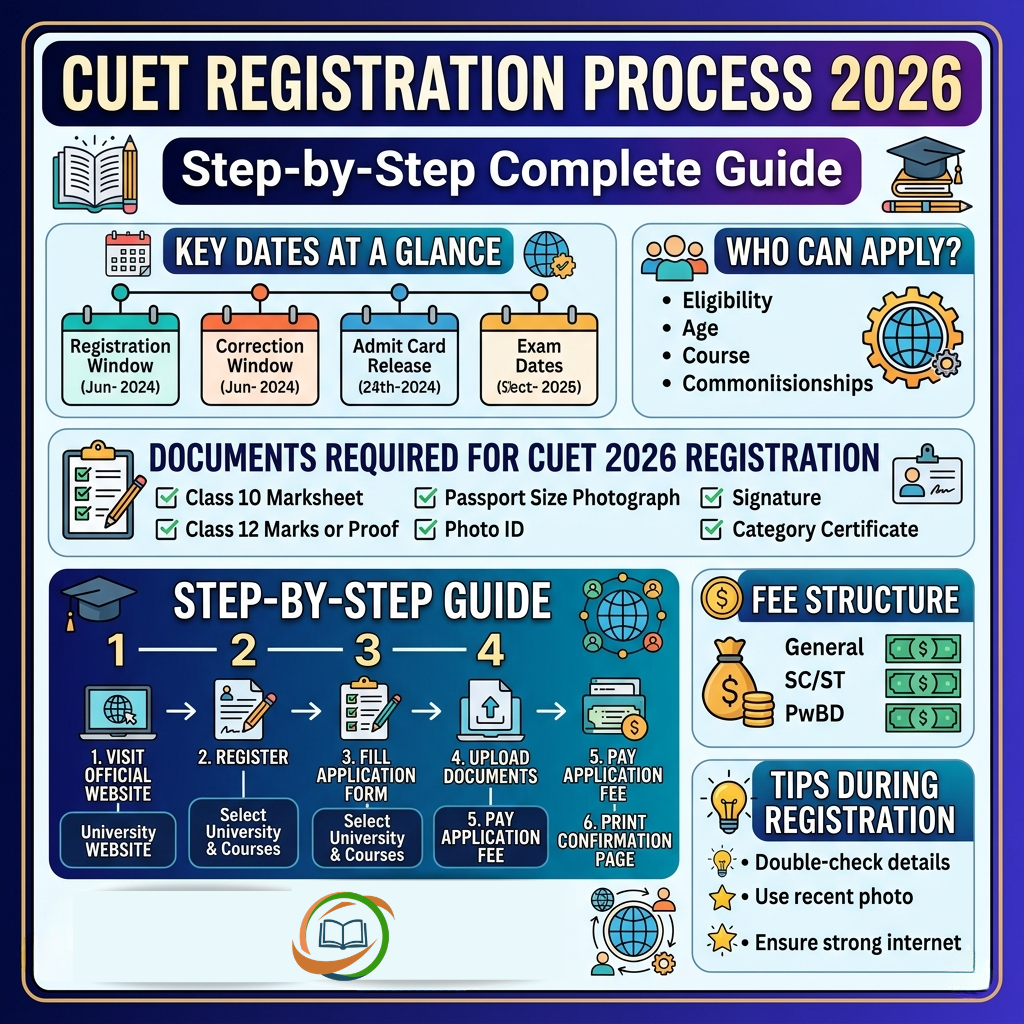
The CUET registration process is the very first step on your journey to getting admitted into one of India’s top central, state, or private universities. Getting it right — selecting the correct subjects, uploading proper documents, and paying the fee on time — can make the difference between a smooth application and a rejected form.
Whether you are applying for the first time or looking to understand the process better, this complete guide covers everything about the CUET UG 2026 Registration Process — from eligibility and documents to step-by-step instructions, fee details, photo specifications, and common mistakes to avoid.
CUET 2026 Registration — Key Dates at a Glance
The CUET UG 2026 registration window opened on January 3, 2026, and was later re-opened from February 23 to February 26, 2026. Here is the complete registration event timeline:
| Event | Date |
|---|---|
| Official Notification Released | January 3, 2026 |
| Registration Window Opens | January 3, 2026 |
| Original Registration Last Date | February 4, 2026 |
| Registration Re-opened | February 23, 2026 |
| Final Registration Last Date | February 26, 2026 |
| Application Correction Window | February 9–11, 2026 |
| CUET UG 2026 Exam | May 11 – May 31, 2026 |
Note: The CUET 2026 registration window is now closed. This guide will help candidates understand the complete process for future reference or for the CUET 2027 cycle.
CUET 2026 Eligibility Criteria — Who Can Apply?
Before diving into the registration steps, candidates must confirm they meet the basic eligibility criteria set by NTA:
Academic Qualification:
- Students who have passed Class 12 (or equivalent) from a recognised board are eligible.
- Students who are currently appearing in Class 12 in 2026 can also apply.
- There is no minimum percentage mandated by NTA for appearing in CUET UG, but individual universities may have their own minimum marks requirement.
Age Limit:
There is no upper age limit for CUET UG 2026. However, candidates must satisfy the age criteria laid down by their target university, if applicable .
Nationality:
Indian nationals, NRIs, OCI/PIO, and foreign nationals are eligible to appear for CUET UG 2026.
Important: Eligibility for CUET UG is separate from eligibility for individual universities. Always check the specific admission criteria of each university you plan to apply to.
Documents Required for CUET 2026 Registration
Before starting the application, keep these documents ready in the prescribed format:
Mandatory Documents
| Document | Purpose |
|---|---|
| Recent passport-size photograph | Identity and admit card |
| Scanned signature | Identity verification |
| Government-issued Photo ID (Aadhaar, PAN, Voter ID, Passport) | Identity proof |
| Class 10 certificate / marksheet | Date of birth and board details |
| Class 12 marksheet (if passed) OR roll number (if appearing) | Academic qualification |
| Category certificate — SC/ST/OBC-NCL/EWS (if applicable) | Category-based reservation |
| PwBD certificate in NTA-prescribed format (if applicable) | Disability-based reservation |
| Bank/UPI details | Fee payment |
Note: Category certificates are not required during the registration stage, but will be mandatory during the counselling and admission process.
Photo and Signature Specifications
Getting your photo and signature right is critical. For CUET Registration, to appear in CUET 2026, you have to upload a recent passport-size photograph (colour or B&W) with around 80% face visibility against a white background, having 10 KB to 200 KB in JPG/JPEG format having dimensions of 200 × 230 pixels (3.5 cm × 4.5 cm).
| Document | Format | Size | Dimensions |
|---|---|---|---|
| Photograph | JPG / JPEG | 10 KB – 200 KB | 200 × 230 pixels |
| Signature | JPG / JPEG | 4 KB – 30 KB | 140 × 60 pixels |
Additional photo requirements:
- White background, no shadows on face
- At least 80% face visibility
- No caps, goggles, or heavy accessories
- Recent photograph (not older than 3 months)
- A mandatory live photograph must also be captured during registration as introduced by NTA.
Signature requirements:
- Sign on a plain white sheet using black or blue ink
- Scan clearly and crop to required dimensions
- No digital or typed signatures — only handwritten
CUET 2026 Registration Process — Step-by-Step Guide
The CUET UG registration process is completed entirely online. There is no offline application mode. Here are the detailed steps:
Step 1: Visit the Official Website
Go to the official NTA CUET website: cuet.nta.nic.in
Look for the registration or application link on the homepage. Always use the official NTA link and avoid third-party portals for submitting your application.
Step 2: New Registration / Generate Login Credentials
Click on the “New Registration” link. Carefully read the instructions displayed on the screen. Enter personal details like name, DOB, gender, nationality, and contact details. Create a strong password and save the CUET login credentials.
Once submitted, your Application Number and Password will be generated and sent to your registered email ID and mobile number. Save these credentials carefully — you will need them for all future logins.
Step 3: Fill the Application Form
Log in using your newly created credentials and fill in the application form carefully:
- Personal Details: Candidate’s name (exactly as in Class 10 certificate), father’s and mother’s names, date of birth, gender, category, nationality, identity type, and contact details.
- Academic Details: Fill in Class 10 and Class 12 qualification details such as board name, passing year, roll number, and marks/grades.
- Subject Selection: Choose up to a maximum of 5 subjects from 37 available papers (13 languages + 23 domain subjects + 1 General Aptitude Test). Select subjects based on your target university’s admission criteria.
- Exam City Preference: Select your preferred exam cities in order of preference. The exam is conducted in 300+ exam cities across India and a few international locations, and the final allotment will depend on availability and administrative capacity.
Step 4: Upload Documents
Upload your scanned photograph, live photograph, and signature as per the specifications mentioned above. Follow these steps for uploading:
- Visit the “Upload Documents” section in the application form
- Click “Choose File” and select the document from your device
- Ensure the document matches NTA’s required specifications before uploading
- Upload the photograph first, then the signature
- Preview the uploaded documents to check for clarity and correctness
- Submit to proceed to the next section
Warning: If the photograph or signature on your form is unclear, has extra white space or is blurred, it might lead to rejection.
Step 5: Pay the Application Fee
After uploading documents, proceed to pay the CUET UG 2026 registration fee. Payment can be made through:
- Net Banking
- Credit Card / Debit Card
- UPI
Processing charges and GST as applicable are chargeable to the candidate in addition to the examination fee, by the concerned Bank/Payment Gateway Integrator. NTA will provide no fee refunds under any circumstances.
Step 6: Download the Confirmation Page
The Confirmation Page is generated only after successful payment. If not generated, contact the Bank/Payment Gateway for resolution.
Download and print the Confirmation Page and keep it safely for future reference. Your application is considered complete only after successful fee payment and generation of the Confirmation Page.
CUET 2026 Application Fee Structure
The CUET UG 2026 application fee varies based on the candidate’s category and the number of subjects chosen. Here is the approximate fee structure (based on previous years’ trends):
| Category | Up to 3 Subjects | Each Additional Subject |
|---|---|---|
| General / Unreserved | ₹1,000 | ₹400 per subject |
| OBC-NCL / EWS | ₹900 | ₹375 per subject |
| SC / ST / PwBD | ₹800 | ₹350 per subject |
| Candidates Outside India | Higher fee (as notified by NTA) | — |
Note: The exact fee for 2026 may vary slightly. Always refer to the official NTA Information Bulletin at cuet.nta.nic.in for the final fee structure. Remember, once paid, the fee is non-refundable.
CUET 2026 Application Correction Window
Mistakes happen, and NTA understands that. That is why a Correction Window is opened after the registration deadline. For CUET UG 2026, the Correction Window was open from February 9 to February 11, 2026, during which candidates could correct certain details in their application forms. Because corrections are allowed only once, students must recheck all of their changes before submitting.
What can be edited during the Correction Window:
- Exam city preference
- Subject selection (in certain cases)
- Category details
- Academic qualification details
What CANNOT be edited:
- Name of the candidate
- Date of birth
- Email ID
- Mobile number
- Gender
Pro Tip: Candidates must ensure all details such as name, category, education details, and courses entered are correct, as changes will not be allowed after submission. Double-check everything before hitting the final submit button.
Common Mistakes to Avoid During CUET 2026 Registration
Learning from the mistakes of previous years’ candidates can save you significant trouble. Here are the most common errors to steer clear of:
1. Submitting multiple applications You must submit only one application, and multiple applications will not be permitted. Strict measures are enforced and multiple applications lead to cancellation.
2. Incorrect name entry Double-check and input your name and your parent’s name exactly as they appear on your Class 10 or equivalent certificate. Even a minor spelling difference can cause issues during document verification.
3. Uploading blurred or incorrect photographs A blurred, improperly lit, or incorrectly sized photograph is one of the most common reasons for form rejection. Always preview your photo before uploading.
4. Not matching subject requirements with target university Many students select subjects randomly without checking what their target university requires. This can make you ineligible for admission even if you score well.
5. Not completing fee payment If you have filled out the CUET application form but have not finalised the full payment, your candidature will not be accepted until the fee payment is completed.
6. Using someone else’s email or mobile number Always use your own active email ID and mobile number. All OTPs, admit card alerts, and result notifications will be sent to these contact details.
7. Waiting until the last day Server load on the final day of registration is extremely high. Fill and submit your form at least 3–4 days before the deadline to avoid technical glitches.
CUET 2026 Subject Selection Tips During Registration
Subject selection during CUET registration is one of the most critical decisions. Here are some smart tips:
- Check university subject mapping first: Before selecting subjects, visit your target university’s official website and note the exact subject combination required for your desired course.
- Choose a maximum of 5 subjects wisely: Since you can only select up to 5 papers across all sections, prioritise based on your strengths and university requirements.
- Include English as your language paper: English is the most widely accepted language paper across CUET-participating universities.
- Add the General Aptitude Test if targeting management courses: BBA and BMS programmes at most universities require the General Test as a mandatory component.
- Cross-stream selection is allowed: A Science student can pick Sociology or Economics, subject to the eligibility conditions of individual universities.
What Happens After CUET 2026 Registration?
Once your registration is complete and confirmed, here is what to expect next:
- City Intimation Slip: Released approximately 10 days before the exam (expected last week of April 2026). Informs you of your allotted exam city.
- Admit Card: Released 2–5 days before your exam date (expected first to second week of May 2026). Must be carried to the exam hall.
- CUET UG 2026 Exam: May 11 to May 31, 2026, in CBT mode.
- Answer Key: Released on cuet.nta.nic.in approximately 15–20 days after the exam.
- Result / Scorecard: Expected in June–July 2026. Contains subject-wise scores and percentile.
- University-wise Counselling: Conducted separately by each participating university from July–August 2026 onwards.
Conclusion
The CUET Registration Process 2026 is a structured, entirely online process that requires careful attention to eligibility, document preparation, subject selection, and timely fee payment. While the registration window for 2026 has closed, understanding this process thoroughly prepares you for any future CUET cycle and helps you guide fellow aspirants.
For the upcoming CUET 2027 cycle, stay connected with cuet-nta.com — your trusted source for CUET registration updates, notifications, exam schedules, preparation tips, and university-wise admission guidance.
Frequently Asked Questions
Visit the official website cuet.nta.nic.in, click on "New Registration," enter your basic details to generate login credentials, fill the application form, upload documents, and pay the application fee. The Confirmation Page generated after fee payment is proof of successful registration.
The final registration deadline for CUET UG 2026 was February 26, 2026. The registration window is now closed for this cycle.
The approximate fee is ₹1,000 for up to 3 subjects, with an additional ₹400 per extra subject, for General category candidates. The exact fee is mentioned in the official NTA Information Bulletin.
Yes, uploading a live photograph is mandatory for CUET UG registration, as introduced by NTA.
Yes. Candidates who are appearing in Class 12 can appear without uploading the final marksheet. Candidates simply need to select the "Appearing" status. The final marksheet will be required during counselling or admission.
Subject changes are only possible during the official Correction Window, which was open from February 9–11, 2026. After the correction window closes, no changes are permitted.
No. NTA will provide no fee refunds under any circumstances.
You can select a maximum of 5 subjects in total across all three sections — languages, domain-specific subjects, and the General Aptitude Test.
The photograph must be in JPG/JPEG format, between 10 KB and 200 KB in file size, with dimensions of 200 × 230 pixels, against a white background with at least 80% face visibility.
No Comments yet!